Features
Everything the office does, on everybody's phone.
SiteCabin runs the day-to-day of a trade firm: hours, holidays, certificates, vans, safety paperwork, jobs and quotes. Your team uses it on their phones, the office on any screen, and the files land in your own Microsoft 365.
Timesheets
Hours by job number, filled in on the day.
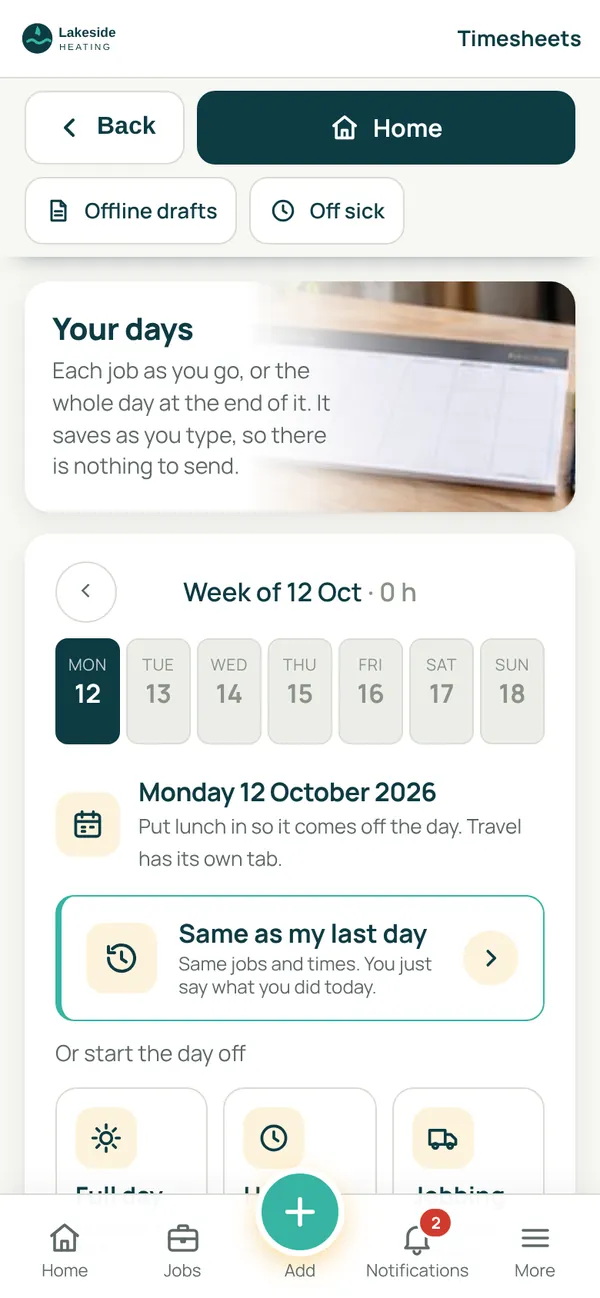
Each person fills in their day on their phone, job by job as they go or all at once at the end. It saves as they type, so there is nothing to send, and the app does the chasing.
- Same as my last day in one tap, or start from a full day, a half day or a few calls
- Every line carries a job number, picked from your own job list
- Missing days are chased by the app, not by the office
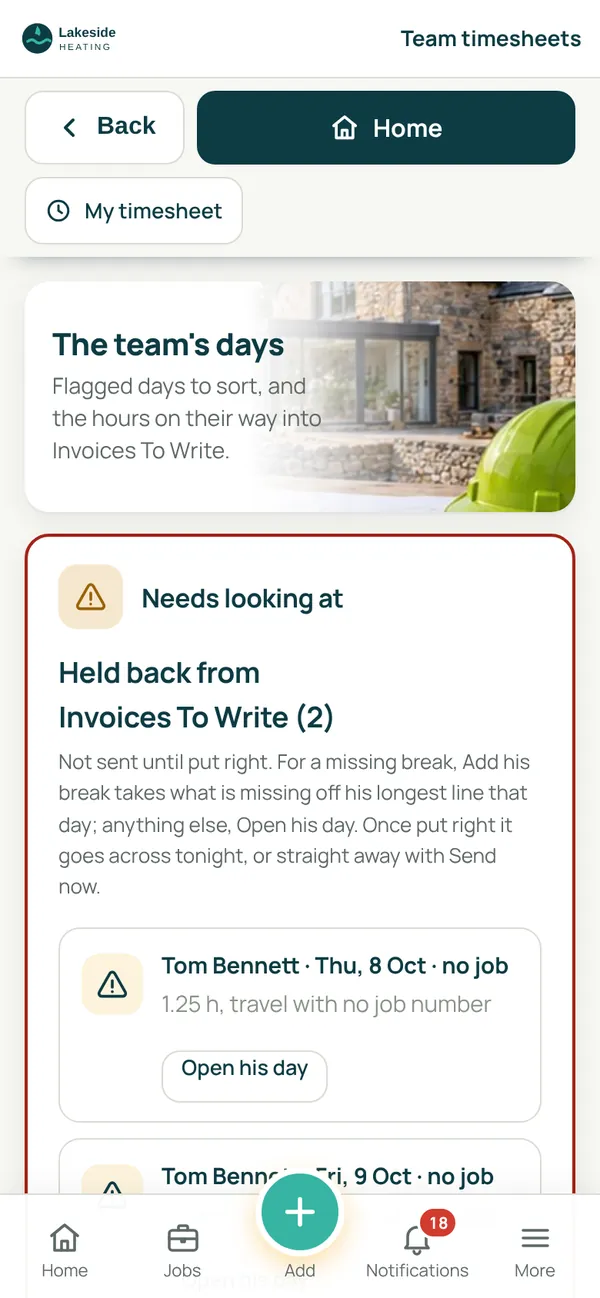
- The office sees flagged days to sort: very long days, weekends, or days with little time on jobs
- Hours go into your invoicing workbook by job, into each person's own timesheet file, and into a monthly hours file for your accountant
- Subcontractors can keep a timesheet too, kept apart from payroll
Holidays and absence
Book time off without the paper form.
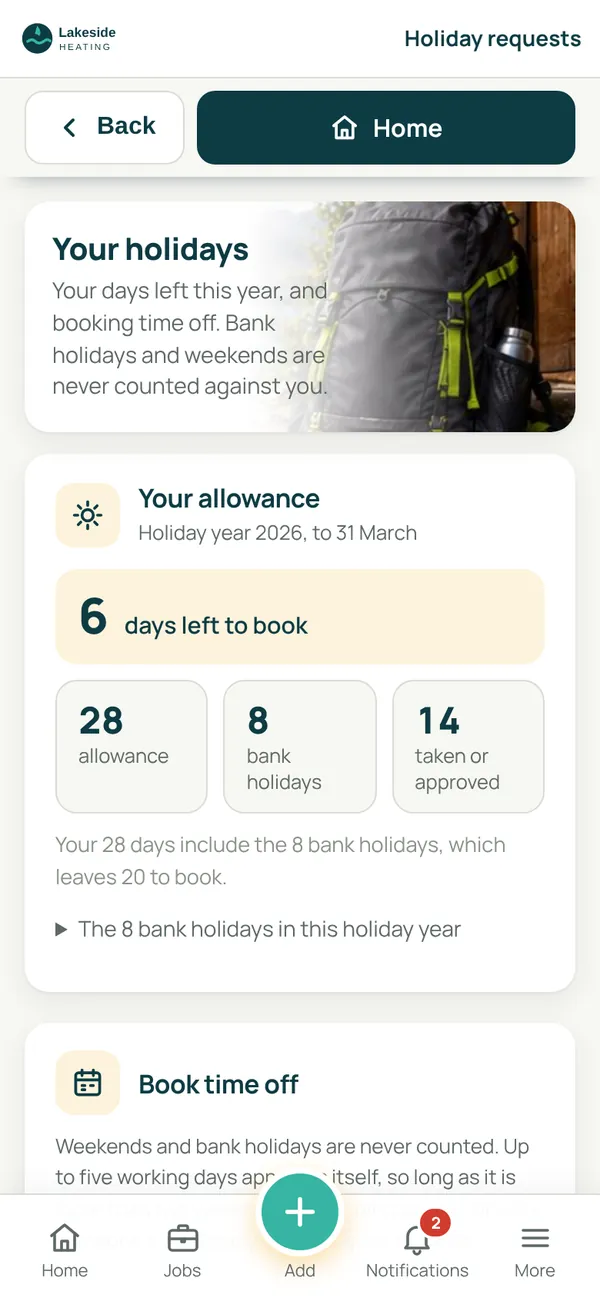
Everyone sees their allowance and days left, and books holiday on their phone. Your rules decide which requests approve themselves and which come to you.
- Allowances with bank holidays counted properly, including part years and days carried over
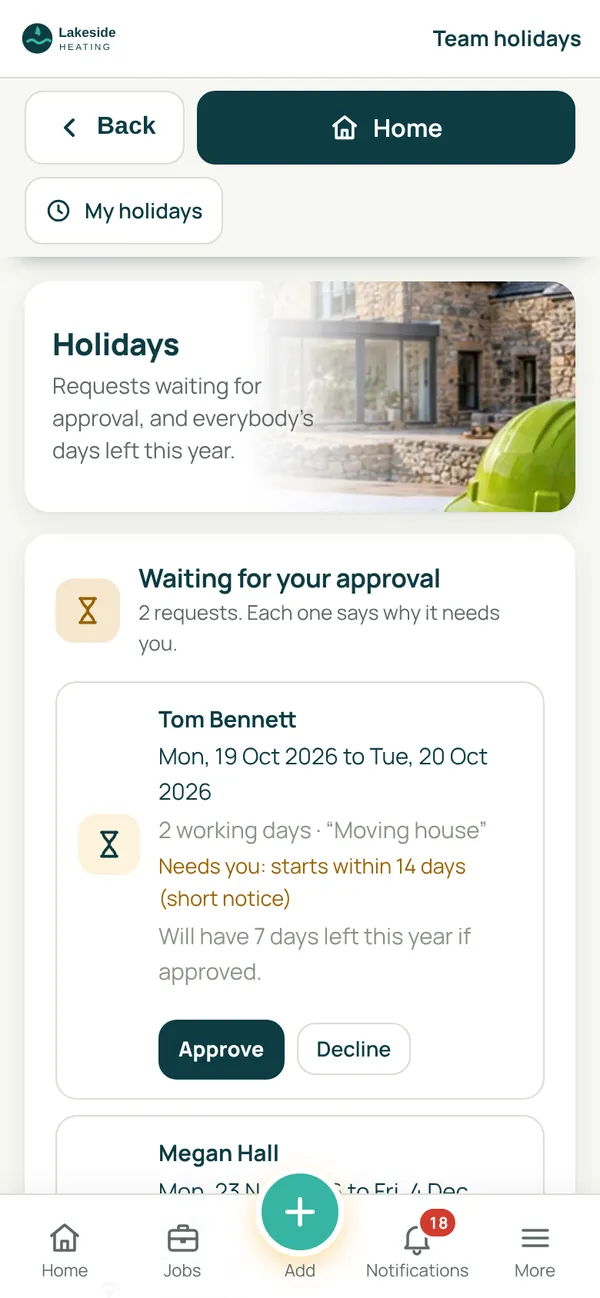
- Requests that fit your rules approve themselves; clashes, short notice and long trips come to you with the reason
- Approved holidays go into the office calendar
- Sickness and appointments recorded, by the person or by the office when someone rings in
- Sick days and holidays go on the monthly hours file for your accountant
- A holiday record workbook in your SharePoint, kept up to date by itself
Heating forms and the service round
Certificates at the appliance, and a service round that runs itself.
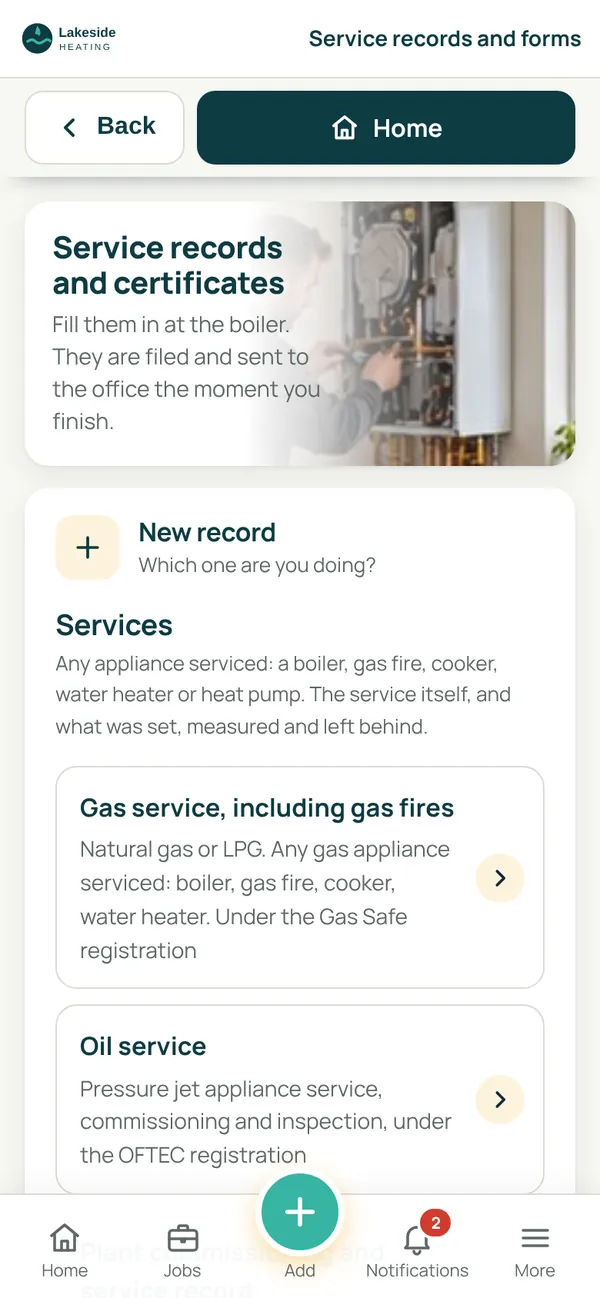
Engineers fill in gas, oil and heating records on their phone and the customer signs on the screen. The record is filed and sent to the office the moment they finish.
- Twelve forms, from the gas service record and CP12 to heat pump, cylinder and powerflush records
- Warning notices and not to current standards notices, signed for on the day
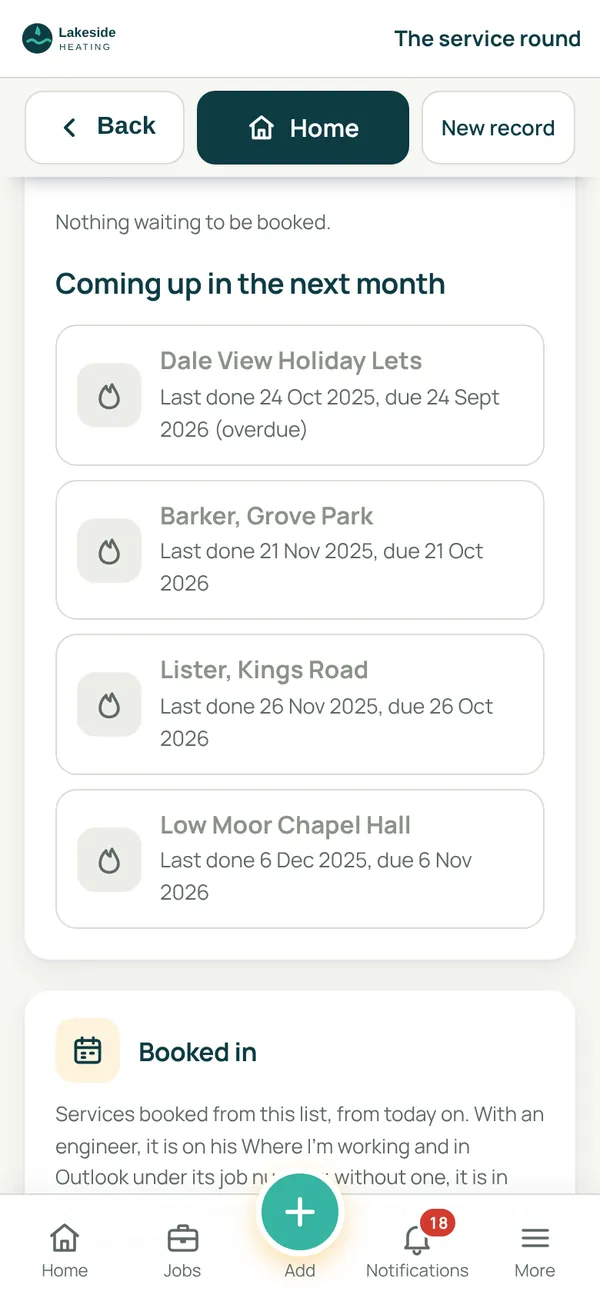
- Eleven months after each service the office is emailed with last year's record, and the property goes on the due list
- Landlord records have their own list, so none runs out unnoticed
- Book a visit from the list and it goes into the engineer's day under its job number
Vans
Every van, its paperwork and its problems.
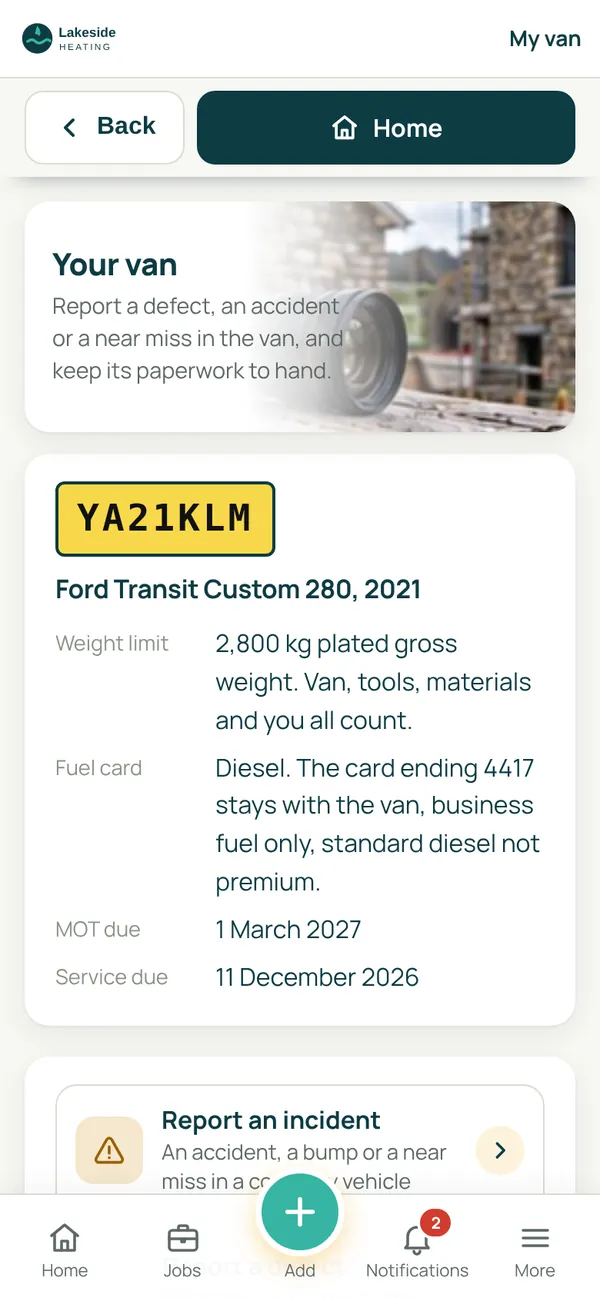
Each driver has their van on their phone, with what they need at the roadside. The office sees the whole fleet, van by van.
- Defects, accidents and near misses reported from the van
- MOT, service and tax dates, with the office told before each is due
- Fuel card, weight limit and the accident card where the driver can find them
- Driver policies and declarations, read and signed in the app
- One fleet insurance policy entered once for every van
RAMS and safety
Risk assessments read and signed before work starts.
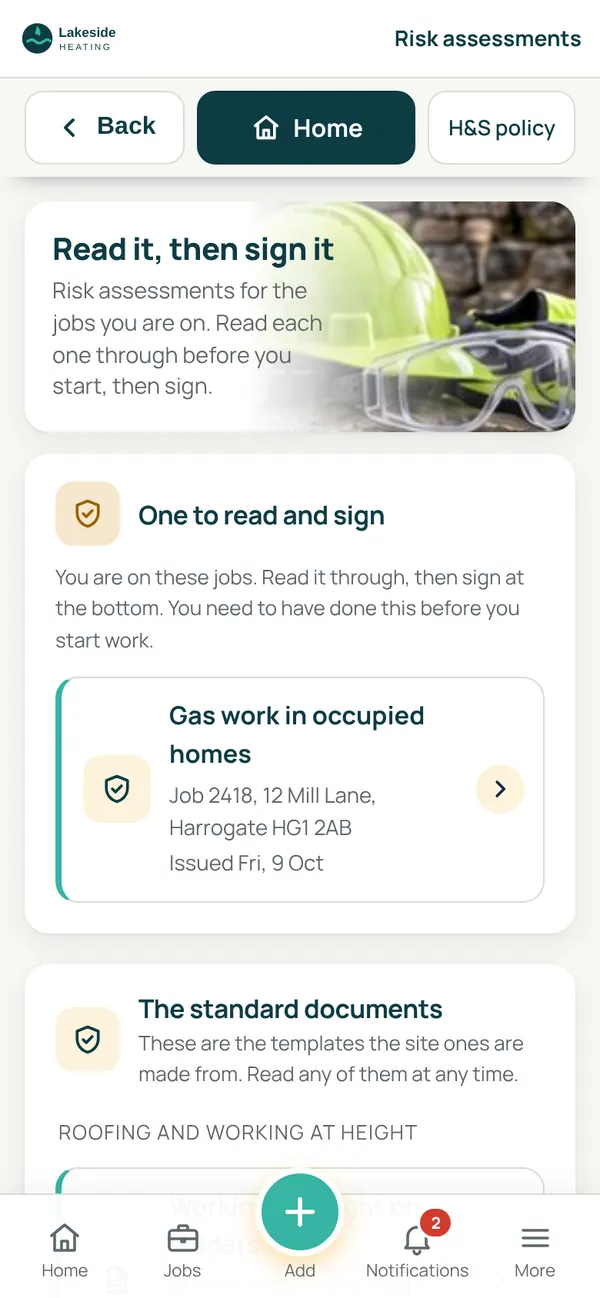
The office issues risk assessments to a job from your own documents. Each person on the job reads them on their phone and signs, and you can see who still has to.
- Your own risk assessment and method statement documents, issued per job
- Read and signed one at a time, with who has and has not signed
- Your health and safety policy, read and signed by everyone
- Accident and near miss reports, permits to work and asbestos records
- Signed copies filed in your SharePoint
Staff records and cards
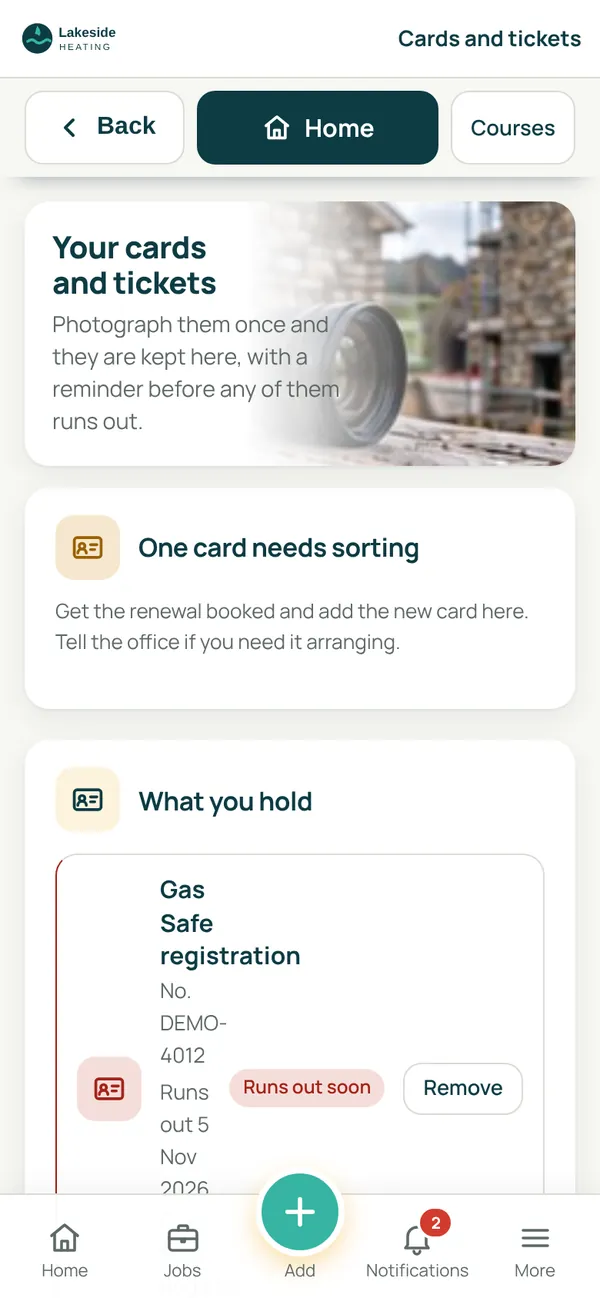
Cards and tickets kept, and chased before they run out.
Each person photographs their cards once. SiteCabin keeps them with their expiry dates, and sends a reminder before any of them runs out.
- Gas Safe, CSCS, first aid, asbestos awareness and any other card or ticket
- A reminder before each one runs out
- Everybody's contact and emergency details in one place for the office
- People added before they first sign in, with an invitation to send them
- Leavers switched off in one go, and taken back on just as quickly
Jobs and job numbers
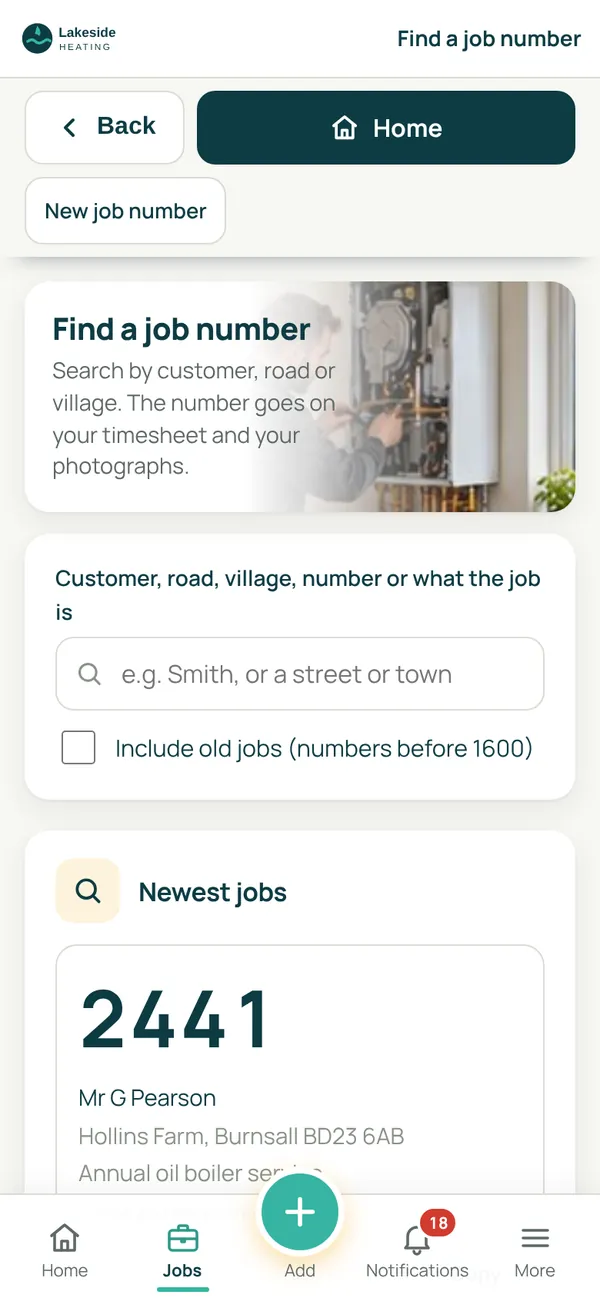
One job list, and the right number on everything.
SiteCabin reads your jobs from your own job record workbook in SharePoint, so the number on a timesheet, a photograph or a certificate is always one the office recognises.
- Find a job by customer, road, village or number
- New job numbers can be taken in the app and are written into your job record
- Job photographs taken on site, stamped and filed to the job by stage
- Job completion signed by the customer on the day, so the office can invoice
- Job numbers typed in that are not on your list are flagged for the office
Quotes and tenders
What you are pricing, and what needs chasing.
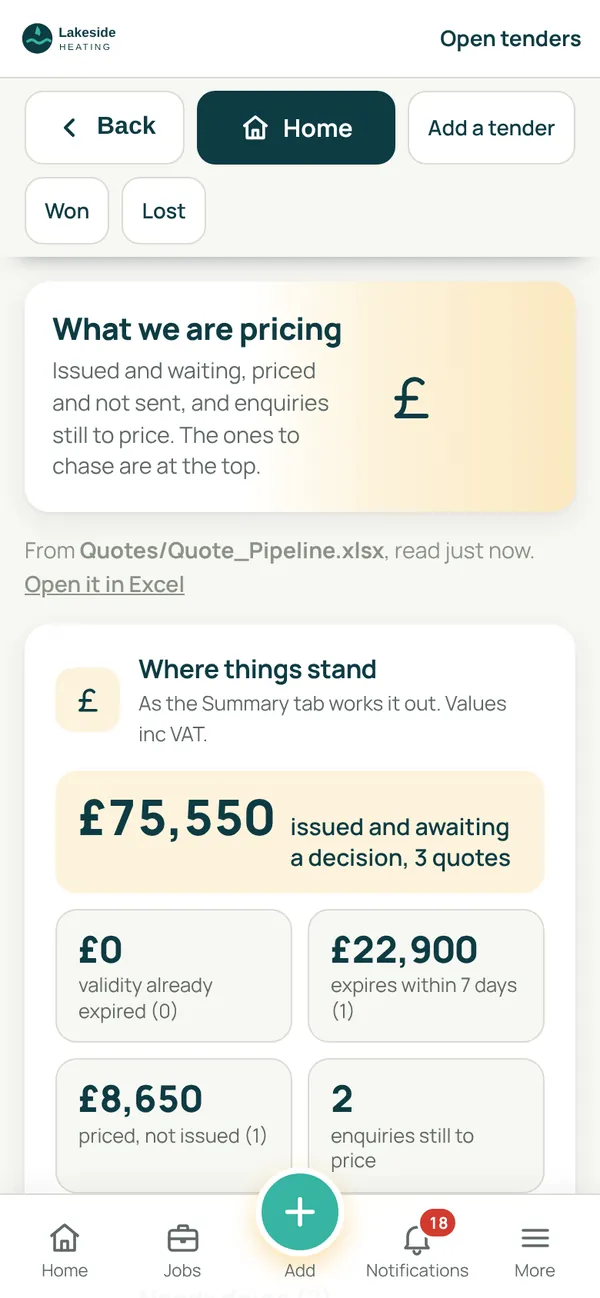
SiteCabin reads your quote pipeline workbook in SharePoint and shows the office what is out, what is running out and what needs a chase.
- Quotes issued and waiting, priced but not sent, and enquiries still to price
- Validity running out and chases due, at the top of the list
- Add a tender in the app, and mark it won or lost
- How long a quote stands and when to chase are your own settings
- The workbook stays yours, to open in Excel any time
Programmes
A programme for each job, kept up to date from site.
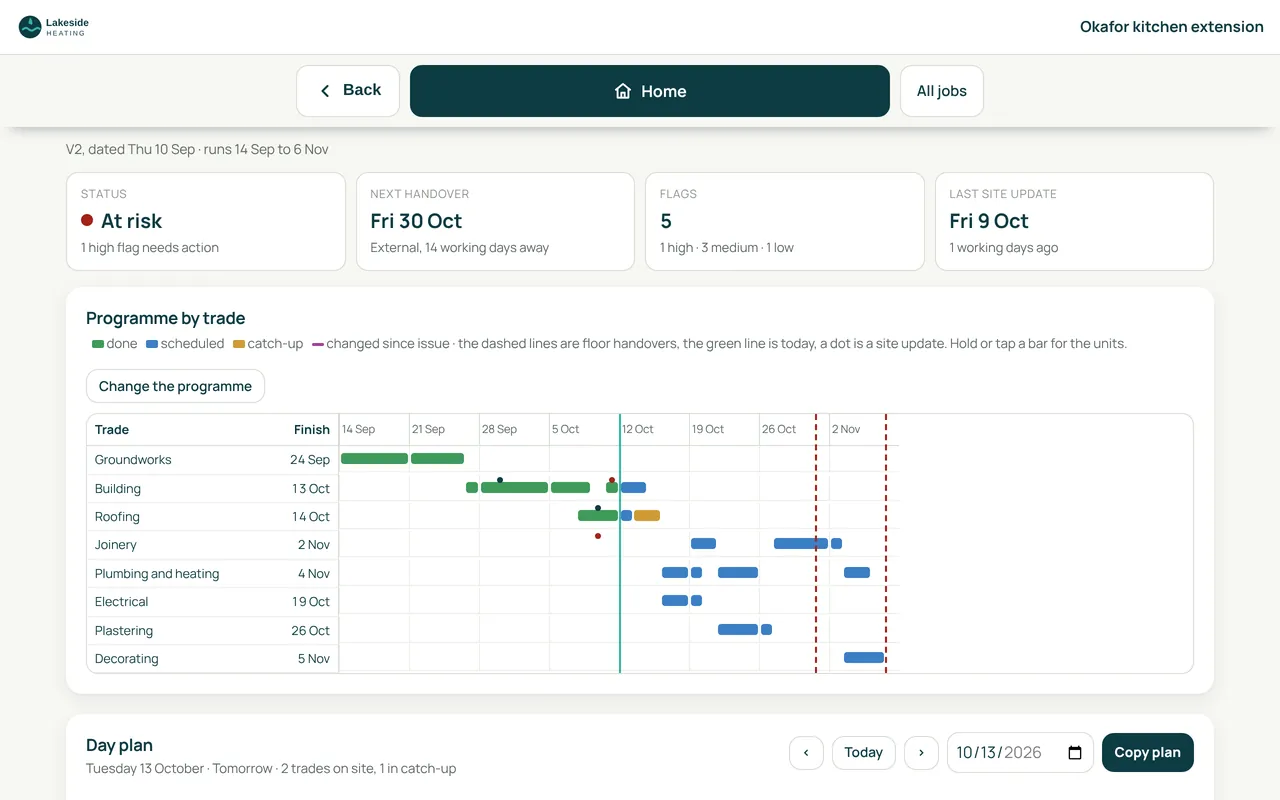
Fill in one spreadsheet per job from the SiteCabin template and it becomes a Gantt chart by trade, with a day plan and the flags that need action.
- Programme by trade, with what is done, scheduled and in catch-up
- The next handover and anything at risk, at the top
- Site updates from the team, shown on the chart
- Every change recorded with its reason
Your firm, your files
Your name on it, and your records in your SharePoint.
Each firm's app carries its own logo, colours and name, set once in Company settings. Photos, certificates and workbooks save to a SiteCabin site in your own Microsoft 365, and SiteCabin can see that one site and nothing else.
Simple monthly price
£75 a month covers your first 3 people.
Each extra person then adds £25 (people 4 to 10), £20 (people 11 to 25) or £15 (from the 26th), plus VAT. Monthly, with no fixed term, and the first month is free.
See it for yourself.
Tap through the demo as an engineer or as the office, or join the waiting list and we'll email you when SiteCabin opens.
Lakeside Heating is a made-up firm. Screens from the SiteCabin demo, with sample data.